Every Revit family you have, in one window.
Paramettrik Library brings every family you can reach behind one fast search: your open model, your office libraries, past projects and your team's cloud. All without leaving Revit.
Six browsers, one window.
Each browser is a different place your families live. Same window, same search, same shortcuts, so your team learns it once.
Every window in under three minutes
A guided tour of Paramettrik Library inside Revit, from the active document to your organisation.
Active document
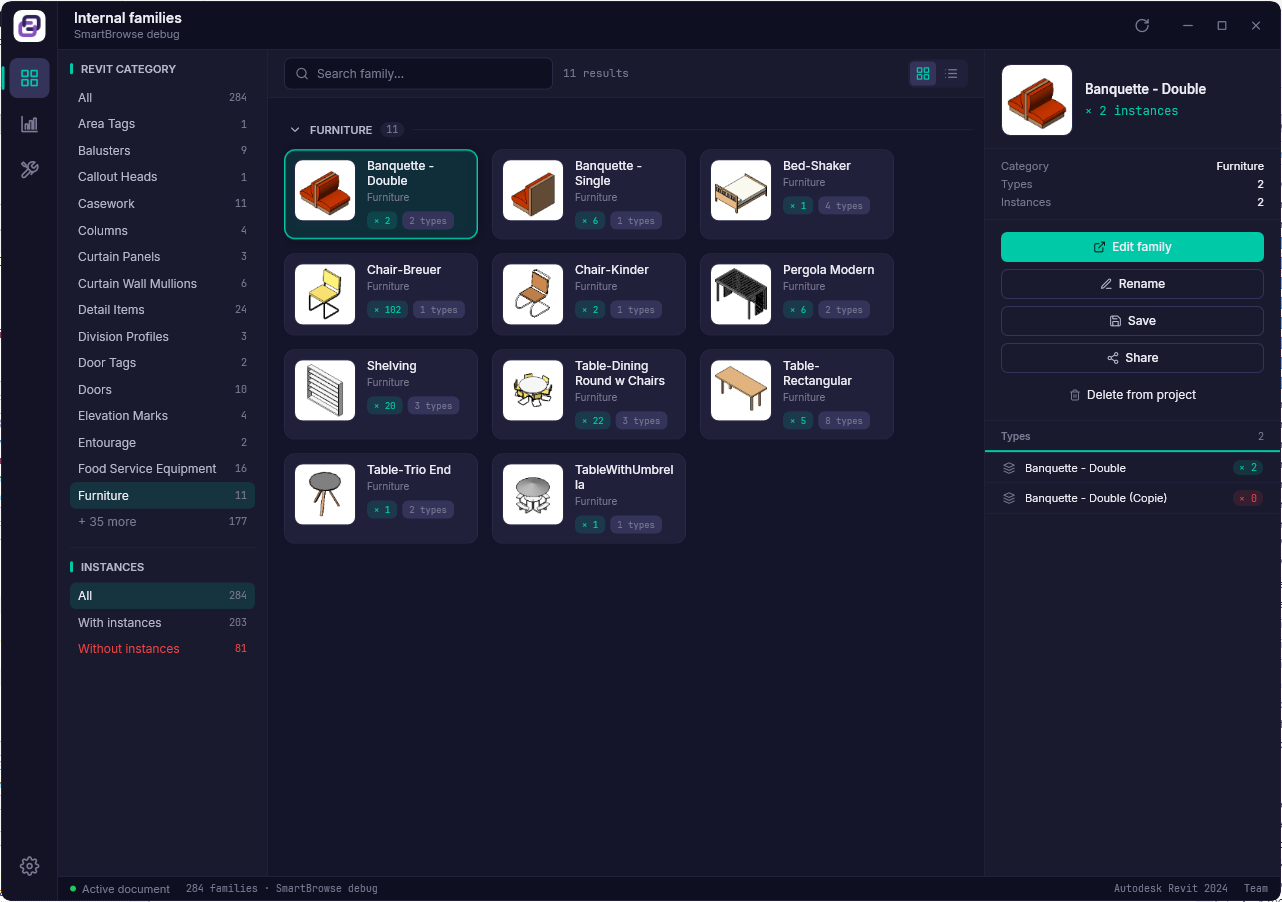
See everything your open model already contains, without digging through the Revit project browser.
- Every loaded family, grouped by Revit category, with type and instance counts.
- Spot unused families at a glance, so nothing bloats the model unnoticed.
- Rename, edit, reload or remove a family right where it lives.
A clear picture of your model and far less time lost in the Revit project browser.
Your office library
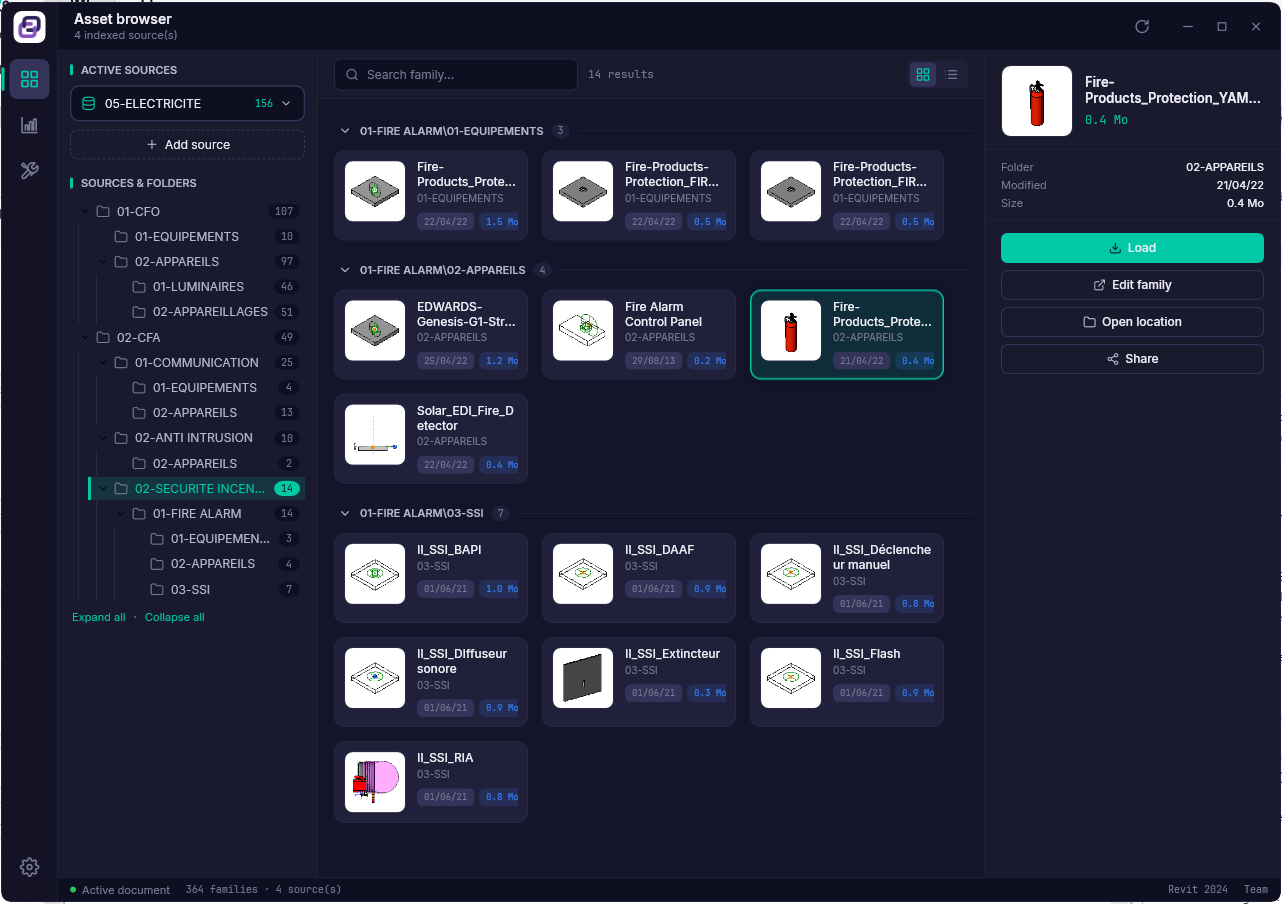
Load a family from your firm's shared libraries in one click. No more hunting through network folders in Windows Explorer.
- Point it at your network folders once; it indexes every family for instant search.
- Browse by folder tree, or search across every source at once.
- Load straight into the model, or jump to the file's location.
The whole team pulls from the same approved families, so consistency comes by default.
Past projects and office templates
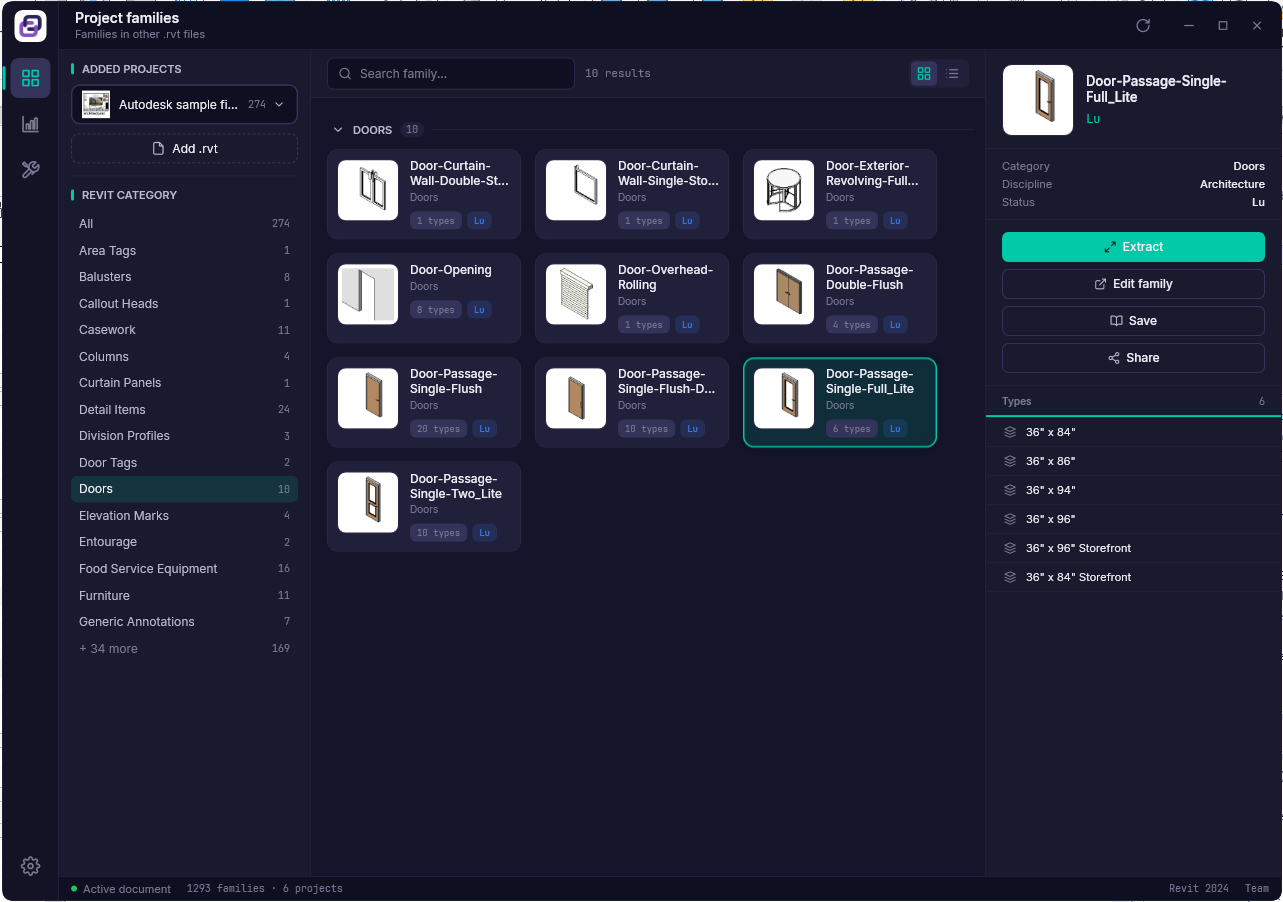
Reuse a family from any past project, or straight from your office template, without ever opening the file.
- Add a project (.rvt) or a project template (.rte); Paramettrik Library reads its families in the background.
- Preview categories, types and disciplines before you commit.
- Extract the one you need straight into your current model.
Your office template is often the best kept family collection in the practice. Now it reads like a library, alongside years of delivered projects.
Manufacturers
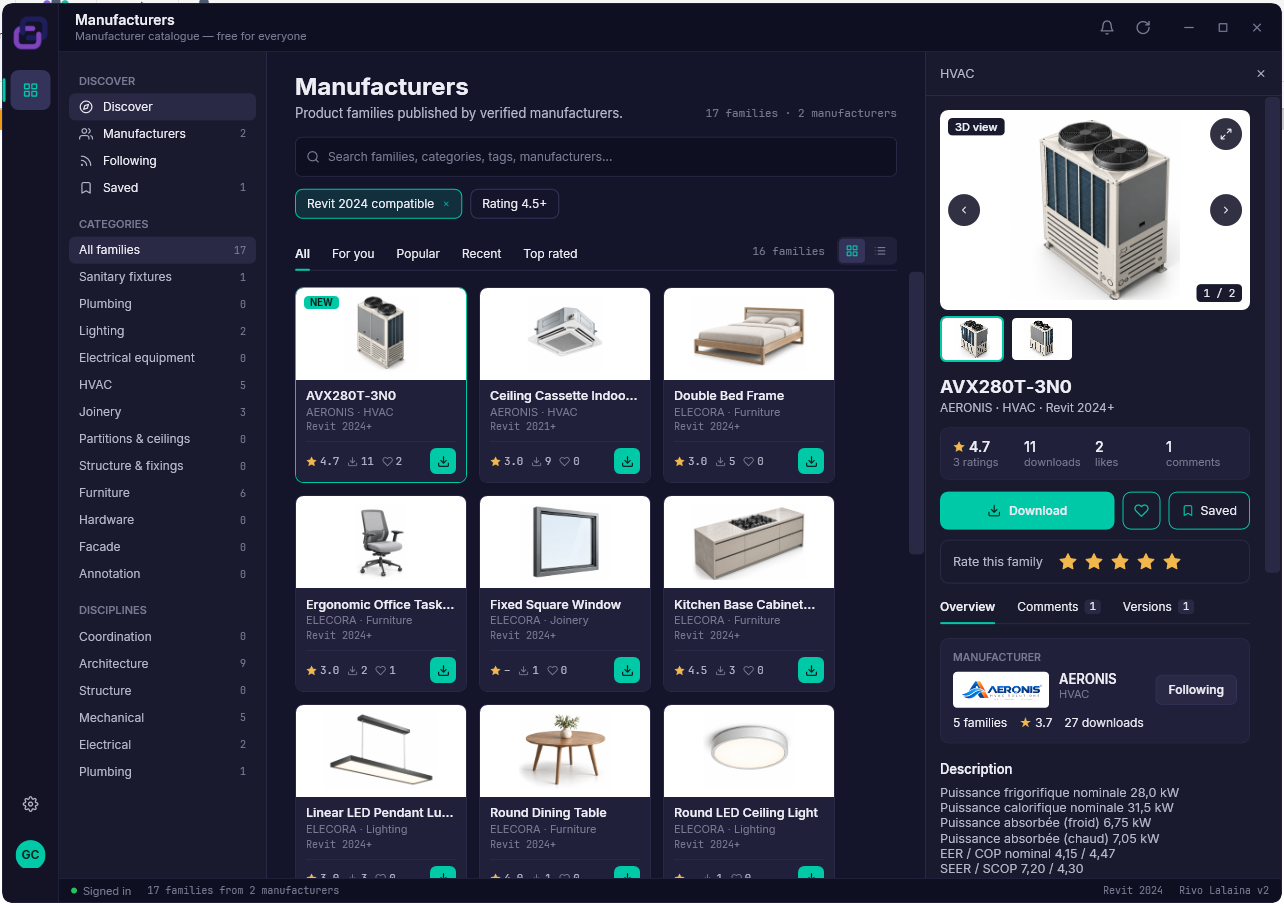
Pull certified, BIM ready families straight from the manufacturers you specify, without leaving Revit and without paying a thing.
- Browse by brand or by category, with verified manufacturer pages and ready made collections.
- Every family is free to download for everyone with an account, with its Revit version shown right on the card.
- Rate families, follow the brands you specify most, and open a family's product sheets and past versions before you commit.
Specify with real manufacturer content instead of generic families, straight from the source.
Are you a manufacturer? See how it works
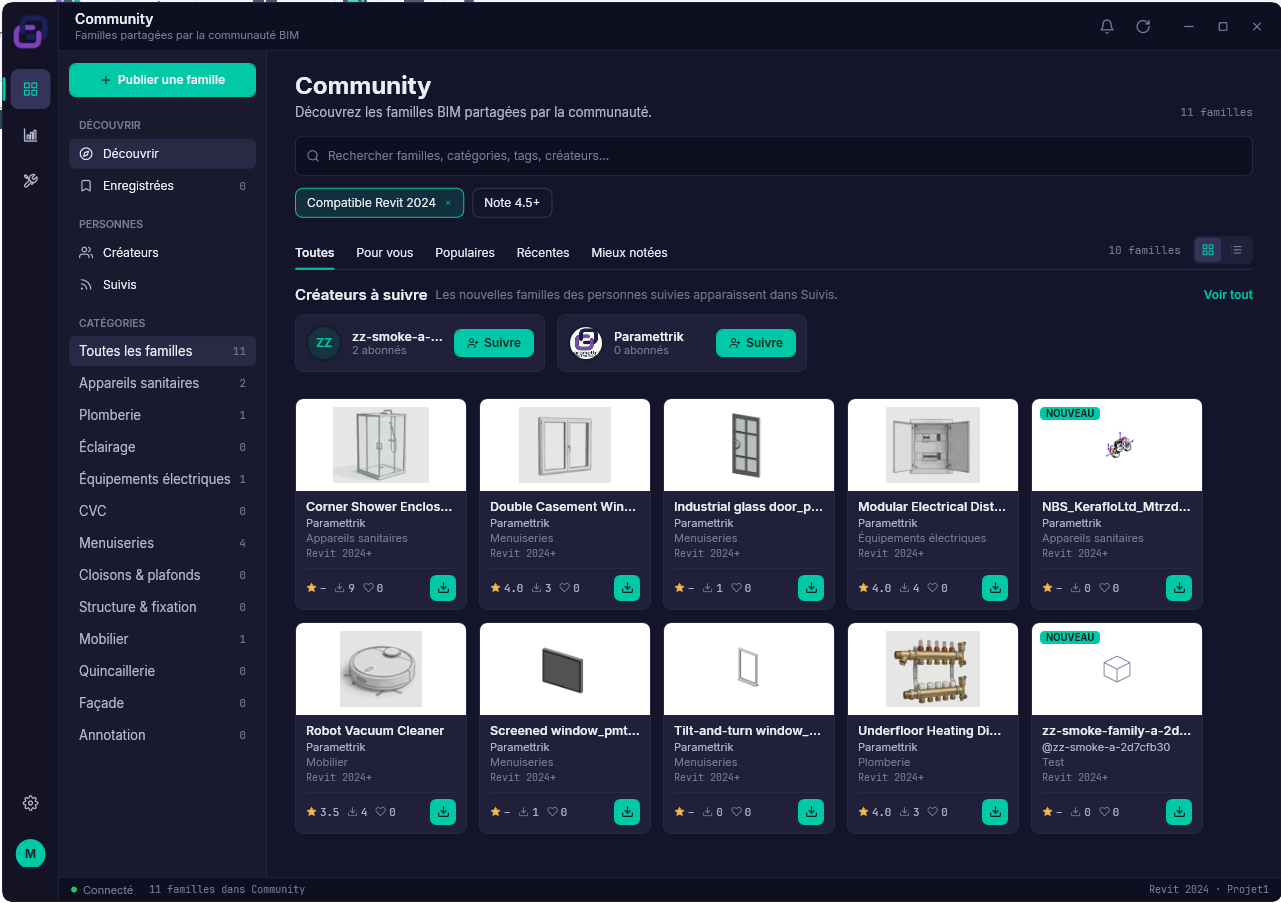
Community
Families shared by everyone else who uses Paramettrik Library, sorted by category and ranked by the people who actually build with them. Publishing and downloading are free with your account.
- Browse by category and sort by Popular, Recent or Top rated, with the rating and the download count on every card.
- Publish your own families for free, then follow their downloads, likes and rating from your Dashboard.
- Rate what you download, comment on a family, and follow the creators whose work you like.
A shared library that keeps growing without anyone maintaining it, and it works from your very first sign in.
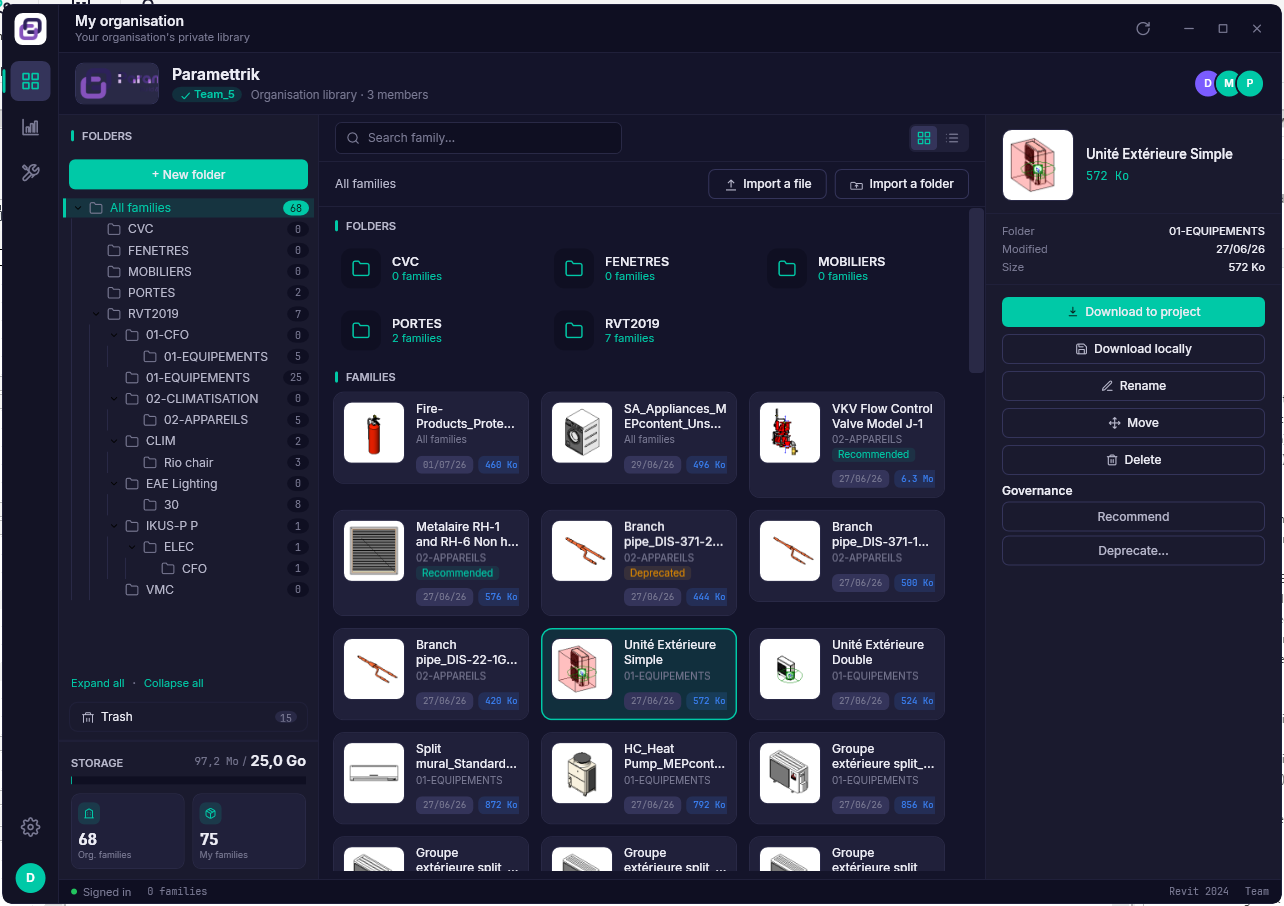
Your team's cloud library
One private, versioned family library for the whole team. Governed, in the cloud, native in Revit.
- Publish and download families to a private cloud library, organised in folders.
- Managers recommend or deprecate families to steer the team.
- Seats, storage and members are managed from the web portal.
Everyone builds from the same trusted, up to date content. No more emailing family files around.
One account, in Revit, on the web, in the cloud.
The three local browsers work with no account at all. A free sign in adds the cloud: your team library, manufacturers and community. It also carries your licence from one machine to the next.
Local browsing stays on your machine. Nothing leaves Revit unless you publish or download, and cloud data is stored in the EU.
Ready to browse smarter?
Start free. The local browsers need no account.
Prefer to read first? The user guide walks through every window.